
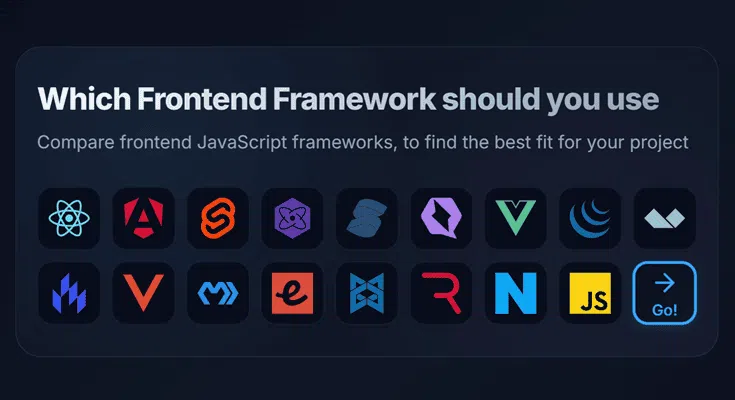
Which framework should you use? Well, that depends on what you’re developing and your priorities. However, I’ve created a quick comparison tool to help you find the ideal stack on Frontend Framework for your project. See: Stack Match.
Why am I writing this? I see a lot of articles touting specific frameworks or criticizing other frameworks. But rarely does the author cut through the hype and provide an unbiased comparison between all* the options. My aim here is to briefly outline each frameworks USP, when you should use them, covering their pros, cons, and also mention my thoughts.
React
React is everywhere, powering over 1.3 million websites, and used by many (probably most) large companies. It’s been around for over 12 years, backed by Meta, with very mature tooling and a large ecosystem. So it’s no wonder it’s become the default choice for many teams. It’s very stable with excellent backwards compatibility (which is actually also one of its pitfalls, as there are multiple ways of doing everything).
But it’s not perfect. It adds a lot of boilerplate, making it much more verbose to write than the likes of Svelte or Vue. The virtual DOM also adds quite a significant performance overhead (actually, just the reconciliation, but it’s easy to use incorrectly), memoization is often manual, concurrent features are not yet very mature, and bundles tend to be large, even with a lot of tree shaking.
- Plenty of jobs
- Ubiquitous, huge ecosystem, good community support, corporate backing
- Flexibility, build anything from SPAs, emails to mobile apps (kinda)
- While quick to get started with, React can be slow to master properly, and there are many things to trip up beginners
- Less performant out of the box, and the virtual DOM adds an overhead
- Quite boilerplate-heavy, especially when compared to Svelte or Solid
My Thoughts: If you’re vibe coding, React has a huge advantage, since there’s just so much code out there for the AIs to consume. Likewise, if you’re looking for a job, you can’t go wrong with learning React as it’s been the dominant framework for most companies for quite a while now. That said, I personally do not like React: it’s slow, heavy, boring, and sometimes a bit more complex than other frameworks.
I find it frustrating that I need to do so much manual work to improve the performance of an app. It makes the code verbose and prone to mistakes. Even though developer tooling is very good, inspecting the compiled output can still be quite painful. I spend a lot more time with the docs open, as the React spec is quite large and broad.
Vue
Vue is a progressive framework, meaning it can be used for all app types, from just a drop-in script to enhancing HTML all the way up to a full SPA with SSR. Like Svelte, it uses SFCs (single-file components) where each .vue file bundles template, logic, and scoped CSS together. For reactivity, Vue uses ES2015 Proxies to track dependencies and update only what’s needed, without manually memoizing.
- Really easy, intuitive, and quick to learn and use
- Nice Single-file components with scoped styles
- Easy, fine-grained reactivity and efficient dependency tracking
-
Official tools for routing, state, and SSR (bundled separately)
- While Vue can scale very well, a lot of thought is needed when using it for a very large project
- There are some inconsistencies (such as the two competing Options vs Composition APIs)
- Some reactivity caveats (e.g., value on refs, destructuring loses reactivity)
My Thoughts: Vue could be seen as the Goldilocks framework, sitting comfortably between React’s flexibility and Angular’s structure. Vue is fast enough, fun enough, and battle-tested enough, but doesn’t really excel amazingly in any of these areas.
The reactivity system using Proxies is genuinely impressive. Change a data property, and everything dependent on it updates automatically. And, the ecosystem is much stronger than people realize. I chose Vue for Dashy because it has everything I needed, but also is incredibly easy, so contributors could add their own widgets and features without a steep learning curve.
Svelte
Svelte has consistently ranked as one of the most loved frameworks, and for good reason. It’s simple, fast, lightweight, and really fun. Reactivity is built directly into the language, no hooks, proxies, or useEffect Weirdness; just assign to a variable, and it reacts.
Unlike many other frameworks, it does not ship a runtime or use a virtual DOM. Instead, components get compiled into highly optimized vanilla JS at build-time. So, there’s no runtime overhead, no framework code in your bundle, and you get near-native performance in the browser. Oh, and the compiled output is surprisingly human-readable.
- Smaller, faster bundles than React or Vue
- Really simple reactivity model
- Less boilerplate than any other framework
- Animations are built in
- Ecosystem is still smaller than React/Vue
- SvelteKit is still maturing, and could be slightly less stable than Next/Nuxt
- For large teams or huge projects, the tooling is not as robust
My Thoughts: Building in Svelte makes me happy. I like that it’s both modern, intuitive, and fast, but also that its SFCs are very aligned with the core web technologies: just HTML, CSS, and JS. Svelte has been my go-to for building things quickly and beautifully, while shipping a performant result. But I have found that if I don’t pay attention to structure, a large project can quickly get messy.
I wouldn’t necessarily use it for a huge enterprise dashboard where you have 15 teams working on the same codebase. React, or Angular, still offer more predictability, stability, and tooling in those scenarios.
Angular
You’re probably thinking Angular is an old-school framework, only used in legacy apps and corporate environments. And yes, the latter is correct, but recent releases (yes, it’s still very active) have some awesome features that make it a very viable choice in 2025.
Unlike other frameworks, Angular ships with everything batteries-included: routing, forms, HTTP, testing, internationalization, animations, SSR, and more – all officially maintained and deeply integrated. No need to cobble together a stack.
But it can be verbose to write with.
- TypeScript from the start
- Very stable nowadays
- Everything needed for large apps is included
- AOT compilation of templates, making it faster than some
- Plenty of jobs in the corporate world
- Steeper learning curve (RxJS, DI, modules, zones)
- Verbose compared to frameworks like Svelte or Vue
- Smaller community than React/Vue in open-source or tutorials
- Less flexible — you build the Angular way
My Thoughts: Angular isn’t cool, but it is consistent, powerful, and scalable. There isn’t really anything missing, so you don’t need to npm install a ton of third-party deps just to do common tasks. I didn’t find it complicated to get up to speed with it, but there was a lot I needed to learn from the docs, especially with the template syntax, component definitions, directives, injections, etc. The only thing I struggled with was initially getting hydration working for my SSR routes. Everything else was smooth sailing. I’d consider Angular again for large apps, where stability, structure, and long-term support matter, but not so much for smaller apps.
Lit
Lit is a super lightweight framework for building standards-based Web Components, built around modern browser APIs (like Custom Elements and Shadow DOM), and is great when you want framework-agnostic, reusable UI components.
- Uses native Web Components and common standards
- Performant, as no virtual DOM, and updates are minimal and direct
- Works with any framework (or none)
- Verbose syntax: @click, ?disabled, .value, etc.
- Class-based components feel outdated
- SSR is experimental and hard to set up
- Ecosystem and learning resources are niche
My Thoughts: I personally found that writing Lit components was a bit like stepping back into the old days of React. Components are class-based, and even the simplest of components are quite verbose, with a fair amount of boilerplate code.
The funny expression syntax (for attributes), caught me up a few times, forgetting to precede properties with a ., booleans with a ?, event listeners with an @ and all values with a $. Server-rendering is still experimental, and was such a pain to get working in a standalone Vite + Lit project.
Because it’s web components, and using the shadow DOM, each component is totally isolated. Which has it’s pros and cons, but if you’re not used to this, you might notice that things like your global CSS reset or styles do not work the way you’d expect.
jQuery
Did you think I’d forget about our old friend jQuery?! Nearly 20 years since its first release, and jQuery is still present on over 70% of the top 100k websites (that’s largely correlated with WordPress usage).
That number is now starting to decline, and with good reason – for simple apps, many of the features of jQuery can now be done natively with modern JavaScript, and for more complex apps, modern frameworks just do the job far better. But earlier this year, and for the first time since 2016, a new major version, jQuery 4, was published.
- No build tools, dependency managers, transpilers, etc
- It’s very much battle-tested
- Useful for supporting (very) old browsers that don’t have the newer JavaScript features
- Not much that jQuery can do, which can’t be done with vanilla JS
Alpine
Enables you to easily sprinkle reactivity into server-rendered HTML (no SPAs, no hydration, no SSR). It’s ideal for simple UI enhancements without a full build setup.
What’s clever is how Alpine stays out of your way. The HTML is still readable, the JavaScript is minimal, and everything degrades gracefully if Alpine doesn’t load. It’s progressive enhancement done right – the page works without JavaScript, but becomes interactive when it loads.
The syntax reads naturally: x-on:click="searchWeather()", x-text="temperature", x-bind:class="{'active': isExpanded}". It’s declarative like Vue templates, but lives right in the HTML. The reactive updates happen automatically when you modify the data.
- Zero setup — works with just a
<script>tag - Ideal for small enhancements in SSR or static sites
- Easy, declarative syntax inspired by Vue
- Progressive enhancement by default
- Not meant for large apps — lacks routing, state management, SSR, etc
- Limited tooling and structure for big teams
- It can get messy if you cram lots of logic into HTML attributes
My Thoughts: Alpine hits a really sweet spot for simple interactivity. When you don’t want a full framework and just need modals, dropdowns, toggles, or light client-side behaviour, then Alpine is perfect.
Solid
Solid looks a lot like React at first glance, but under the hood, it’s completely different, and much faster. Instead of a virtual DOM, Solid uses fine-grained reactivity (similar to Svelte and Vue’s internals) to update only what actually changed. The result is tiny bundles, almost no runtime overhead, and great performance.
You still write JSX, still define components, still use hooks – but everything is reactive by default. Signals (createSignal) replace useState, computations run automatically when their dependencies change, and nothing re-renders unnecessarily. It feels familiar, but without the awkward parts of React.
- Extremely fast: no virtual DOM, fine-grained reactivity, tiny bundle
- Feels familiar, if you’re from a React background
- Very scalable for large, highly interactive interfaces
- Much smaller ecosystem and community
- SSR is strong, but full-stack frameworks like SolidStart are still maturing
- JSX.
My Thoughts: Solid feels like “what React could have been” if it were designed today. You get the React ergonomics without the re-rendering dance, memoization hacks, or performance footguns. It genuinely feels snappy to build with. But because it’s still relatively niche, you won’t find as many libraries, tutorials, or job listings.
Astro
Astro is less of a framework and more of a content-first site builder. Astro statically builds your site and uses barely any JavaScript by default. Interactivity comes from “islands”, which are tiny isolated components, written with any framework of your choice (like React, Svelte, Vue, Solid, etc), and are used to sprinkle in interactivity that gets hydrated onthe client-side, only when needed.
- Best option for SEO (SSG, SSR), plus all the benefits of interactivity only when you need it.
- First-class MD/MDX support
- It’s good for content-heavy sites, but definitely not a good choice for SPA/interactive apps
My Thoughts: For a blog, docs, a marketing site, or a “mostly static with a few interactive bits” project, it’s honestly hard to beat. I love Astro, it’s DX and flexibility, but it does have very specific use case.




Leave a Comment