Hello Everybody! In this article, we want to discuss how to update a table from another table in SQL Server. Before we get started, if you want to know about format DateTime, please go through the following article: How to format a DateTime value in SQL Server.
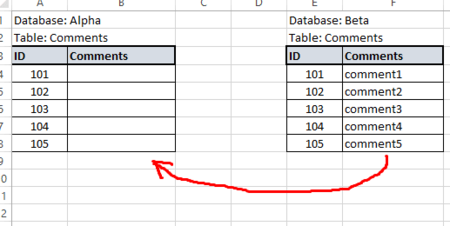
Sometimes we need to change/update one or multiple columns in a table based on another column in another table in SQL Server. This may very simple or usually a daily requirement. In SQL Server you can do this using the UPDATE statement by joining tables together. To understand this better let’s take a look at the below-contrived example. I have to different table by named Customers and Orders.
SELECT CustomerID, Name, OrderAmount
FROM   dbo.Customers
GO

SELECT OrderID, CustomerID, Amount
FROM   dbo.Orders
GO
In the above data, I want to update the OrderAmount column of dbo.Customers with values from the Amount column of dbo.Orders. To achieve this we can use UPDATE statement as below:
UPDATE CUST
SET    CUST.OrderAmount = ORDR.Amount
FROM   dbo.Customers CUST
INNER JOIN dbo.Orders ORDR ON CUST.CustomerID = ORDR.CustomerID
GO
We can update multiple tables from another table as we wish. Another Example:
UPDATE A
SET A.ImagePath = B.ItemImage
FROM ScreenMenuItems A
INNER JOIN (SELECT id, ItemImage FROM ImageGallary) B
ON A.id = B.id
