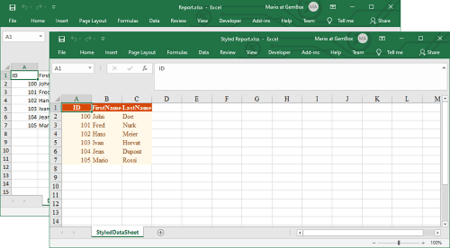
In this post we discuss about way to export gridview to excel with advance feature. GridView control is used to display whole table data on web page. In GridView control each column define a filed or title, while each rows represents a record or data. If you need to export gridview to excel you should use the bellow code on a button click.
////Export GridView to Excel
protected void btnDownload_Click(object sender, EventArgs e)
{
DataTable dt = new DataTable();
dt = (DataTable)ViewState["grd"];
GetExcel(dt, "Vehicle Tracker" + txtBDt.Text + ".xls", "");
}


public void GetExcel(DataTable dTable, string file, string headname)
{

////MemoryStream stream = ExcelUtility.GetExcel(dTable);

////var filename = file.ToString();
////var contenttype = "application/vnd.openxmlformats-officedocument.spreadsheetml.sheet";
////Response.Clear();
////Response.ContentType = contenttype;
////Response.AddHeader("content-disposition", "attachment;filename=" + filename);
////Response.Cache.SetCacheability(HttpCacheability.NoCache);
////Response.BinaryWrite(stream.ToArray());
////Response.End();

Response.Clear();
Response.Buffer = true;
Response.AddHeader("content-disposition", "attachment;filename=" + file.ToString() + "");
Response.Charset = "";
Response.ContentType = "application/vnd.ms-excel";
using (StringWriter sw = new StringWriter())
{
HtmlTextWriter hw = new HtmlTextWriter(sw);

//To Export all pages
grd.AllowPaging = false;
// loadgrd();

grd.HeaderRow.BackColor = Color.White;
foreach (TableCell cell in grd.HeaderRow.Cells)
{
cell.BackColor = grd.HeaderStyle.BackColor;
}
foreach (GridViewRow row in grd.Rows)
{
row.BackColor = Color.White;
foreach (TableCell cell in row.Cells)
{
if (row.RowIndex % 2 == 0)
{
cell.BackColor = grd.AlternatingRowStyle.BackColor;
}
else
{
cell.BackColor = grd.RowStyle.BackColor;
}
cell.CssClass = "textmode";
if (grd.Rows.Count - 1 == row.RowIndex)
{
cell.BackColor = Color.Silver;
}
}

}

grd.RenderControl(hw);

//style to format numbers to string
//string style = @"<style> .textmode { mso-number-format:\@; } </style>";
Response.Write("Vehicle Tracker Report");
Response.Output.Write(sw.ToString());
Response.Flush();
Response.End();
}
}

public override void VerifyRenderingInServerForm(Control control)
{
//
}

protected void grd_DataBound(object sender, EventArgs e)
{
for (int i = grd.Rows.Count - 1; i > 0; i--)
{
GridViewRow row = grd.Rows[i];
GridViewRow previousRow = grd.Rows[i - 1];
for (int j = 0; j < 4; j++)
{
if (row.Cells[j].Text == previousRow.Cells[j].Text)
{
if (previousRow.Cells[j].RowSpan == 0)
{
if (row.Cells[j].RowSpan == 0)
{
previousRow.Cells[j].RowSpan += 2;
}
else
{
previousRow.Cells[j].RowSpan = row.Cells[j].RowSpan + 1;
}
row.Cells[j].Visible = false;
}
}
}
}
}

private void CustomizeGridHeader(GridView SheetGrid, GridViewRow gridRow, int headerLevels)
{
for (int item = 1; item <= headerLevels; item++)
{
//creating new header row
GridViewRow gridviewRow = new GridViewRow(0, 0, DataControlRowType.Header, DataControlRowState.Insert);
IEnumerable<IGrouping<string, string>> gridHeaders = null;

//reading existing header
gridHeaders = gridRow.Cells.Cast<TableCell>().Select(cell => GetHeaderText(cell.Text, item)).GroupBy(headerText => headerText);

foreach (var header in gridHeaders)
{
TableHeaderCell cell = new TableHeaderCell();

if (item == 2)
{
if (!header.Key.Contains("Model") && !header.Key.Contains("Variant") && !header.Key.Contains("Color") && !header.Key.Contains("Stock Date") && !header.Key.Contains("Order Place"))
cell.Text = header.Key.Substring(header.Key.LastIndexOf(_seperator) + 1);
else
cell.Text = "";
}
else
{
cell.Text = header.Key.ToString();
if (!cell.Text.Contains("Model") && !cell.Text.Contains("Variant") && !cell.Text.Contains("Color") && !cell.Text.Contains("Stock Date") && !cell.Text.Contains("Order Place") && !cell.Text.Contains("Mouchak") && !cell.Text.Contains("Total"))// && !cell.Text.Contains("Transit to BD") )
{
cell.ColumnSpan = 2;
}

else if (cell.Text.Contains("Mouchak") || cell.Text.Contains("Total"))
{
cell.ColumnSpan = 3;
}

}
gridviewRow.Cells.Add(cell);
}
// Adding new header to the grid
SheetGrid.Controls[0].Controls.AddAt(gridRow.RowIndex, gridviewRow);
}
//hiding existing header
gridRow.Visible = false;
}

private string GetHeaderText(string headerText, int headerLevel)
{
try
{
if (headerLevel == 2)
{
return headerText;
}
return headerText.Substring(0, headerText.LastIndexOf(_seperator));
}
catch
{
return headerText;
}
}

protected void grd_RowCreated(object sender, GridViewRowEventArgs e)
{
if (e.Row.RowType == DataControlRowType.Header)
CustomizeGridHeader((GridView)sender, e.Row, 2);
}
Thank you for reading Export GridView to excel with advance feature. You may like Naming Convention for .NET / C# Projects.
